The design system workspace
See every change. Check every mode. Ship it with a yes.
The calm home for your design system. Shape it by eye, see what every change touches, and choose how much review each change needs. Agents can propose too. They never get an approve button.
Free for everyone during early access.
Try Stoaken
Edit tokens by looking at them
- Drag a colour ramp. Nudge a spacing step. Watch it change.
- Switch to Dark and edit Dark. Light stays exactly as it was.
- Every text pair shows its contrast as you go.
Specimen shows a token set the way designers think about it: ramps, type, spacing and contrast, editable in place, in every mode.
Open this page on a computer to try it live.
For designers
A visual playground that ships safely
Build by eye, see it on real components, and send it out with a review behind it. Stoaken for designers
- Palette · try a seed
Palettes and scales
One colour becomes light and dark ramps, each step’s readability shown.
Design tools - Figma
 Stoaken
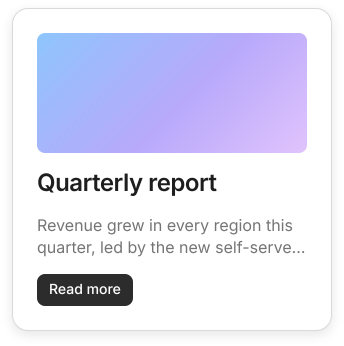
A real result: the Card from our Figma test file. Most of the gap is its photo.
Components
Your real components, in every review
Reviewers see the button, not the hex code: every component drawn with your tokens, in every mode.
- Three ways inA folder, your code or CI, or a Figma selection.
- Decide before it landsClashes asked about plainly. All of it imports, or none of it.
- A wall that wakes upEach card shows its latest picture and comes alive when you look.
- Sealed previewsImported code can’t reach your account, your data or the internet.
Integrations
At home in the tools you already use



































Modes
Dark mode is never an afterthought
- Edit the mode you’re looking at. A change in Dark stays in Dark.
- Compare any two. Side by side, with contrast on both.
- See every mode it touches. If a pixel moved, a person sees it before it ships.
Bring your tokens
Start from what you already have
Paste a Tailwind config, an @theme block or W3C tokens JSON. Stoaken keeps only what’s yours. Try it:
Edit it: Stoaken reads the config as text and never runs it.
The workflow
How a change ships
A person or an agent can start a change. Your people, and the rules they keep, decide how it ships.
Shape it
Edit by eye, build a palette, paste in Tailwind, or let an agent suggest.
Propose a release
Choose who reviews it and when it goes live. They see every change, in every mode, on your real components.
The right people say yes
Your policies name who must approve, and the database holds the line. Before 1.0, velocity can send what breaks nothing straight out.
Built for teams
Fast, and never a surprise
Every change finds the right people, follows your rules and lands on time. See the review desk
New release
Stoaken Web v2.4.0
6 changes · 1 breaking · dark mode only
Goes to
Only they’re asked. Their desk says Asked you
And around it:Clients review with an email codeApprove a queue in one goRecent saves kept, any one restoredCompare any two versionsDeprecate with a to-do listBrands that inheritA record of every decisionReviewers and viewers freeHow releases work
For developers and AI agents
Agents welcome, through the same door
Connect Claude or any MCP client. Agents read your tokens and propose changes, and every proposal follows your review rules, just like yours. The API and CLI work the same way.
There is no approve button for agents. Saying yes is a person’s job.
Exports to 12 formats
- CSS variables
- CSS, light and dark
- JSON (W3C)
- JSON (Style Dictionary v4)
- JavaScript
- TypeScript
- SCSS
- Tailwind config
- Tailwind 4 theme
- Swift (SwiftUI)
- Jetpack Compose
- Android XML
- readget_started
- readlist_brands
- readget_brand
- readget_token_set
- readget_theme_tokens
- readget_resolved_theme_tokens
- readlist_deprecated_tokens
- readlist_releases
- readrelease_changes
- readrelease_timeline
- readexport_tokens
- readlist_webhooks
- proposecreate_webhook
- proposeupdate_webhook
- proposerotate_webhook_secret
- proposeping_webhook
- readlist_members
- proposecreate_workspace
- proposeinvite_members
- proposerevoke_invitation
- proposecreate_theme
- proposeupdate_theme
- proposedelete_theme
- proposepropose_token_change
- proposepropose_token_edits
- proposepropose_token_deprecation
# no approve or publish tool, by design
Trust
Trust, built from the database up
Your design system is product infrastructure, so we treat it that way. We reviewed the whole codebase for security in October 2026 and fixed what we found.
Made for long days
A desktop tool, not a dashboard
Keyboard first, quick with thousands of tokens, and arranged for how you work: Creative, Developer or Full.
- ⌘KFind anything: a token, a colour, a release
- MNext mode
- \Swap the compared sides
- [Previous column or group
- ?Every shortcut on the page
Who it’s for
For everyone who cares about the system
Pricing
Free for two editors. From $14.99 per editor for small teams.
Reviewers and viewers are always free, so bring in everyone who should have a say. During early access, everything is free.